Tips & hidden gems
Quick guides to things that are easy to miss.
Add recipes
On a recipe page
Discover & cooks
Plan & shop
Cookbooks
Share a cookbook with others
Share a cookbook and everyone you invite sees its recipes right in their own kitchen — perfect for family recipes the whole family can keep adding to.
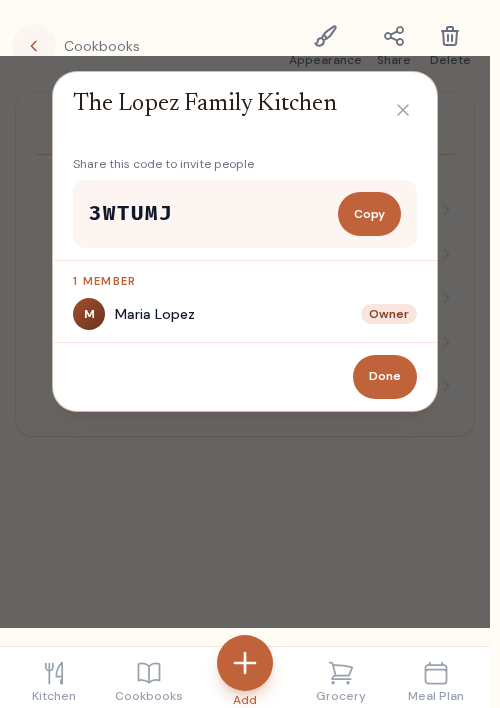
- 1 Open Cookbooks and pick the one you want to share.
- 2 Tap Share at the top of the cookbook.
- 3 Tap Copy under “Share this code to invite people.”
- 4 Send the code. They go to Cookbooks, tap Join with an invite code, and paste it — your recipes appear in their kitchen.
Snap a photo of any recipe
Got a recipe on paper — a handwritten card, a magazine clipping, a cookbook page? Snap a photo and our AI reads it into a clean, structured recipe in seconds. Screenshots work too, like an Instagram caption (tap “more” first so the whole recipe shows).
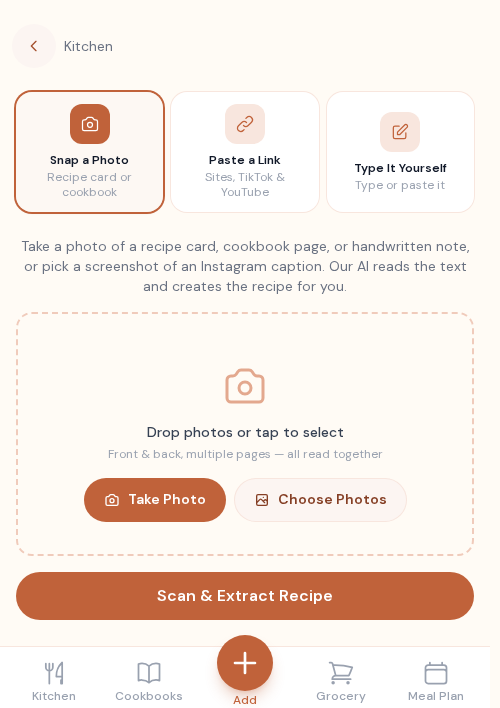
- 1 Tap Add Recipe (the + in the nav).
- 2 Choose Snap a Photo.
- 3 Take a photo, or pick from your library — front and back, multiple pages all read together.
- 4 We pull out the ingredients and steps; review and Save.
Add a recipe to a cookbook
Cookbooks are how you organize recipes. File any recipe into one — or a few — and it appears on those cookbooks’ pages and in the kitchen of anyone who shares them.
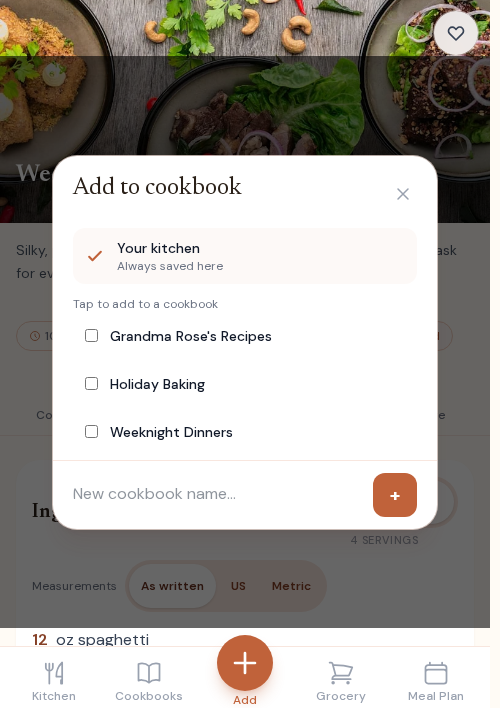
- 1 On a recipe, tap Cookbook.
- 2 Tick any cookbook to add it there — a recipe can live in several at once.
- 3 Or type a name and tap + to start a brand-new cookbook.
- 4 It saves the moment you tap — no extra step.
Add a recipe to your meal plan
Found something to cook this week? Drop it onto a day right from the recipe — no need to open the meal planner first.
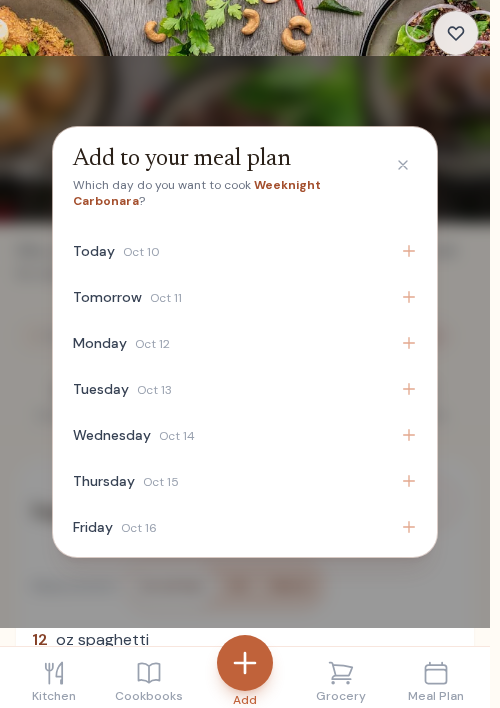
- 1 On a recipe, tap Meal Plan.
- 2 Pick the day you want to cook it.
- 3 It’s on your week — and its ingredients flow into your grocery list.
Edit a recipe
Recipes aren’t set in stone. Tweak the ingredients, rewrite a step, swap the photo, or fix the times whenever you like.
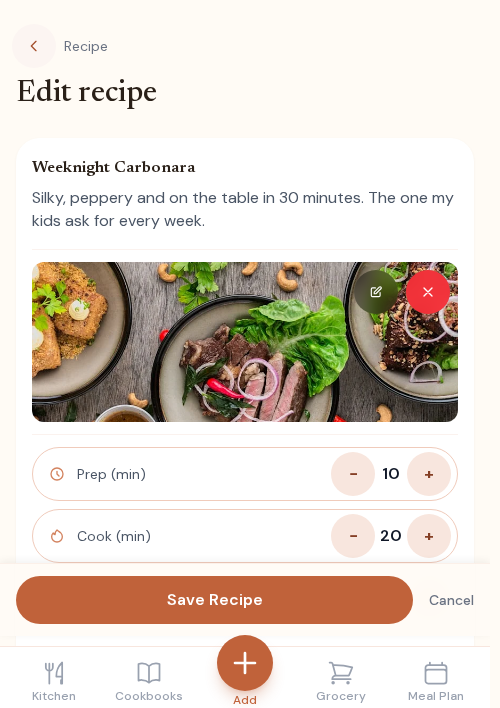
- 1 Open one of your recipes and tap Edit.
- 2 Change anything — name, photo, times, ingredients, or steps.
- 3 Tap Save Recipe to keep your changes.
Restyle a recipe
Make a recipe page feel like yours — choose the fonts, sizes, and colors for its title, headings, and body. You can even apply the look across the whole cookbook.
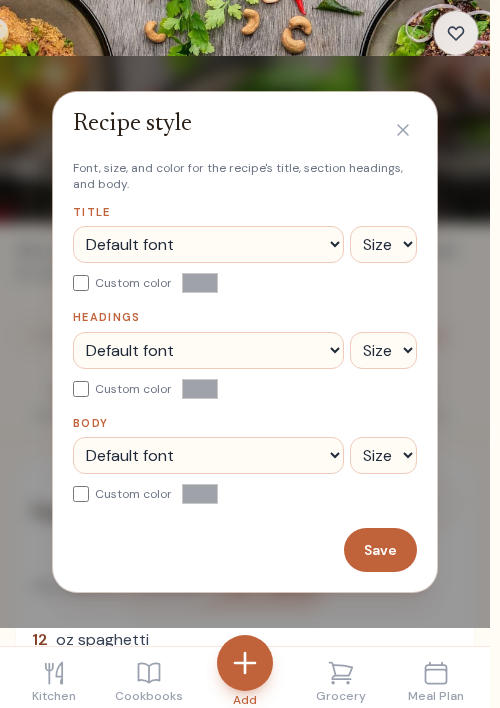
- 1 On a recipe, tap Style.
- 2 Pick fonts, sizes, and colors for the title, headings, and body.
- 3 Tap Save — or apply the style to the whole cookbook.
Send a recipe to someone
Want to send a recipe to a friend who isn’t on Recidex? Share a link — they can open and read the whole recipe without signing up.
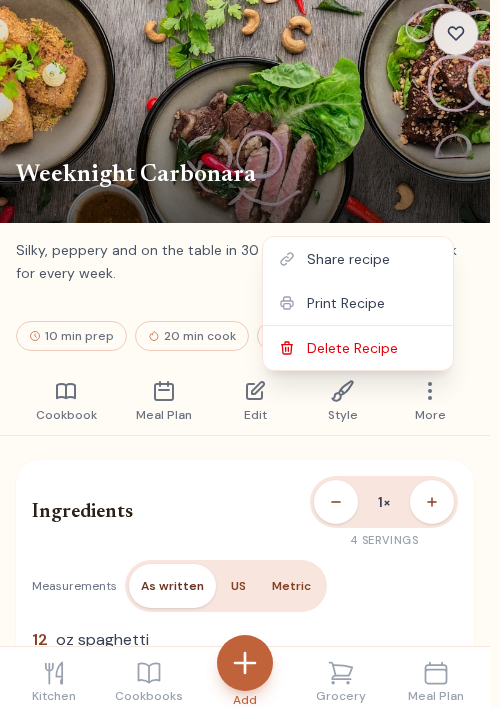
- 1 On one of your recipes, tap More.
- 2 Tap Share recipe.
- 3 Send the link by text, email, or anywhere — anyone can open it.
See a recipe in US or metric
Found a recipe written in grams, or one in cups when you cook by weight? Switch the whole ingredient list to the measures you use. It works with Smaller and Bigger batch too.
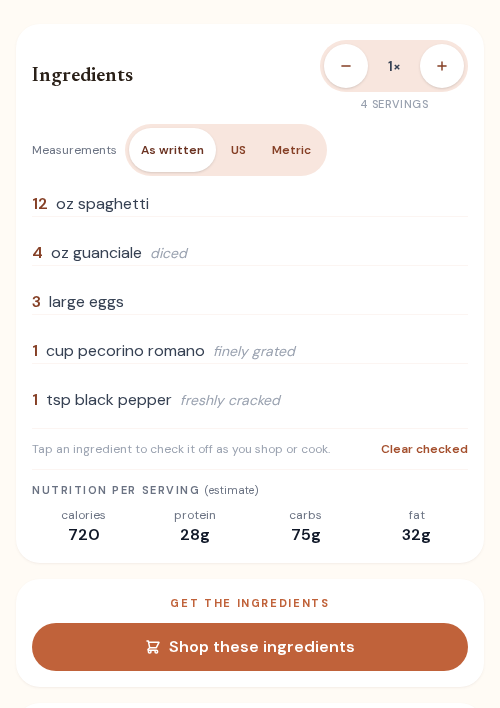
- 1 Open any recipe and scroll to Ingredients.
- 2 Tap US or Metric above the list.
- 3 Tap As written to see the original amounts again.
- 4 We remember your pick for the next recipe you open.
Ask a question about any recipe
Out of an ingredient, or cooking for twice as many people? Ask right on the recipe and get a short answer based on that recipe's own ingredients and steps.
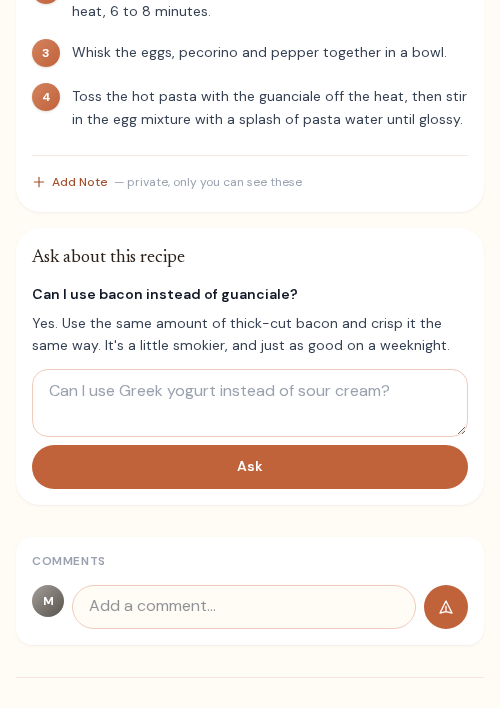
- 1 Open the recipe and scroll past the Directions.
- 2 Type your question in Ask about this recipe, like “Can I use bacon instead?”
- 3 Tap Ask. Ask another any time.
See nutrition for any recipe
Every recipe with ingredients shows an estimate of calories, protein, carbs and fat for one serving. It updates when you change the ingredients or the number of servings.
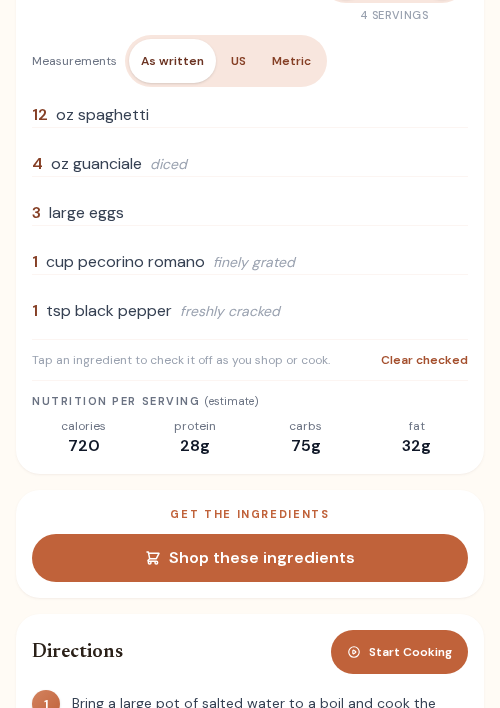
- 1 Open any recipe and scroll to Ingredients.
- 2 Look under the list for Nutrition per serving.
- 3 Edit the ingredients or servings and the estimate updates next time you open it.
Cook hands-free with Cook Mode
Cooking from your phone? Cook Mode turns a recipe into full-screen, one-step-at-a-time cards with timers built in — no pinching and scrolling with messy hands.
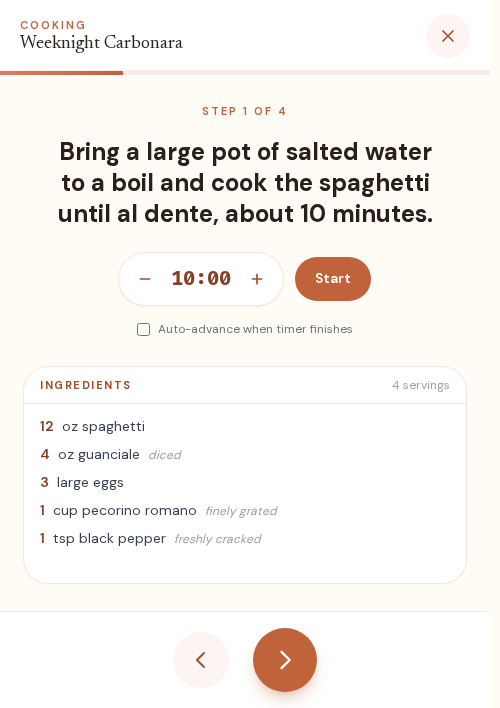
- 1 Open the recipe you’re cooking.
- 2 Scroll to the steps and tap Cook.
- 3 Move through with Next and Previous; tap a time to start a timer.
- 4 Tap Done cooking when you’re finished.
Style a cookbook cover
Make each cookbook look like a keepsake. Choose a built-in pattern or your own photo, tint it with a color, and place the title just so.
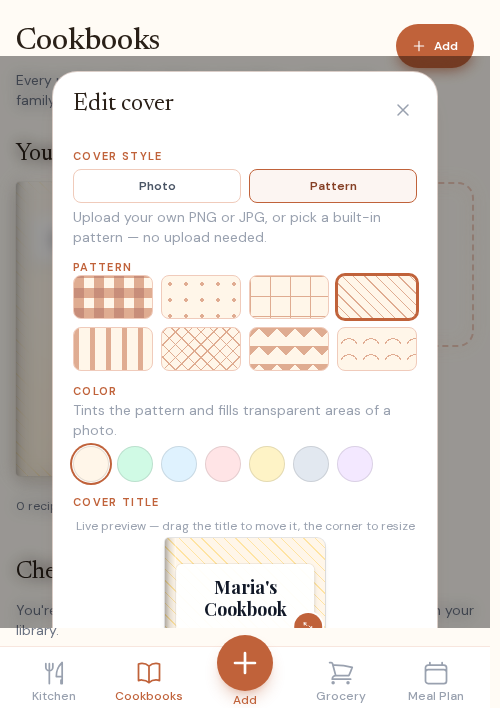
- 1 Open Cookbooks and tap the pencil on a cover.
- 2 Pick a pattern or upload a photo, then a color tint.
- 3 Drag the title to place it, and resize from the corner.
- 4 Save — the cover shows up on your shelf.
Style a cookbook’s pages
The contents page — your cookbook’s table of contents — can be styled too. Choose the fonts, sizes, and colors for the category titles and the recipe list.
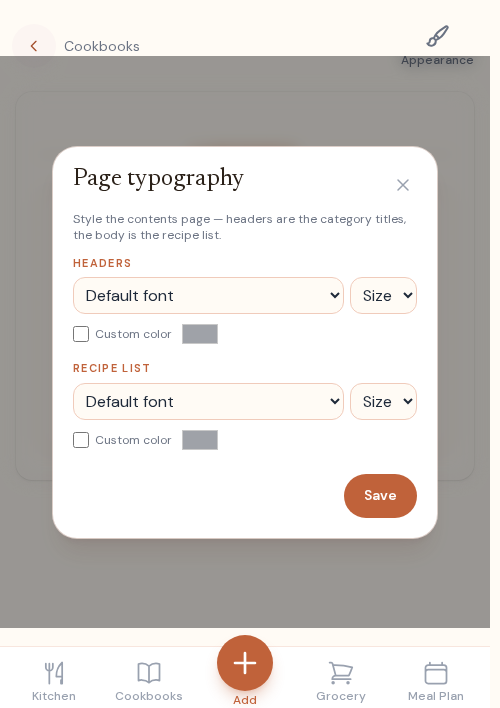
- 1 Open a cookbook’s contents page and tap Appearance.
- 2 Style the headers (category titles) and the recipe list.
- 3 Tap Save to apply it.
Your inventory learns your rhythm
Keep a list of what you usually have on hand. Recidex learns how often you rebuy each item, warns you before you run out, and lets you top up your grocery list in a tap.
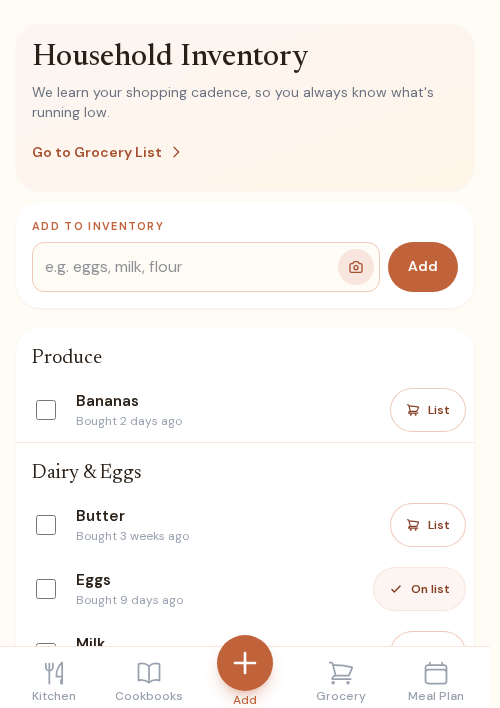
- 1 Open your Grocery List and tap Inventory at the top.
- 2 Add what you keep on hand — type it in, or scan a shelf or receipt.
- 3 Each time you rebuy an item, we learn your rhythm and flag what’s running low.
- 4 Tap + List on any staple to send it straight to your grocery list.
Can’t decide? Let the kitchen pick.
Not sure what to make? Recidex matches recipes to what’s already in your inventory, so you can cook tonight with what you’ve got — no store run.
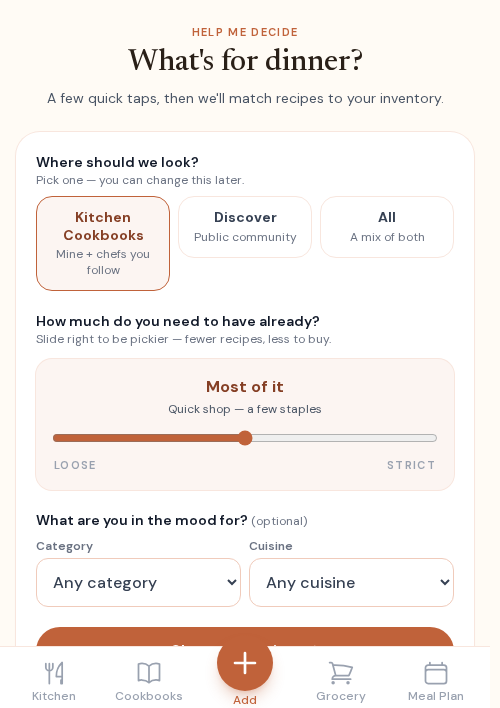
- 1 On your Kitchen, tap Help me decide under “Tonight.”
- 2 Choose where to look — your kitchen or the wider community.
- 3 Slide “How much do you need to have already?” to set how much of a recipe’s ingredients you must already have on hand.
- 4 Pick from the recipes it finds — cook now, or plan one for later.
Plan the week in a few taps
Plan what you’re cooking this week, and your grocery list builds itself from the plan — no double-buying.
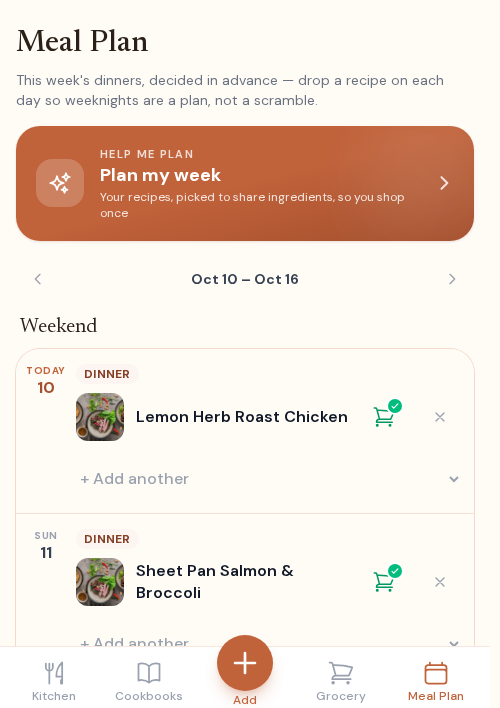
- 1 Open Meal Plan from the bottom nav.
- 2 Tap a day to open the recipe picker.
- 3 Pick a recipe — repeat across the week.
- 4 Your grocery list fills in automatically from the plan.
A grocery list that sorts itself
Everything you need from your recipes and meal plan, merged into one list and grouped by aisle — so a shop is a single sweep, even with no signal.
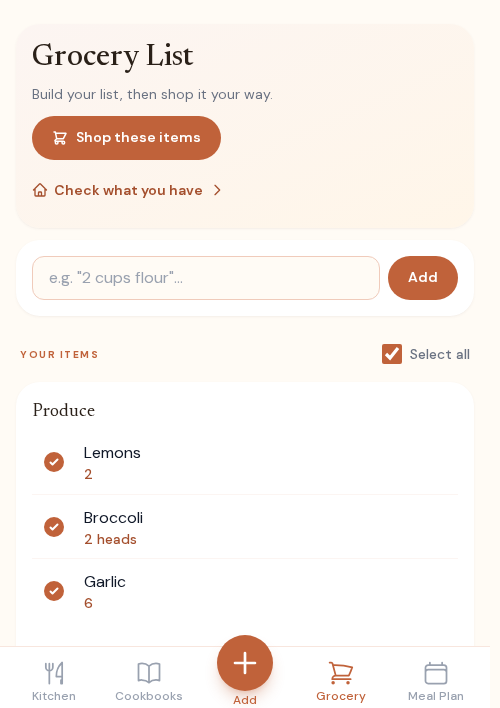
- 1 Add ingredients from any recipe, or let your meal plan fill the list.
- 2 Duplicates merge and everything sorts by aisle automatically.
- 3 Check items off as you shop — it works offline in the store.
- 4 Mark what you’ve got and we stock it straight into your inventory.
See what everyone’s cooking
Recidex has a whole community kitchen of public recipes. Browse, search, or swipe to find something new — and save what you love into your own kitchen.
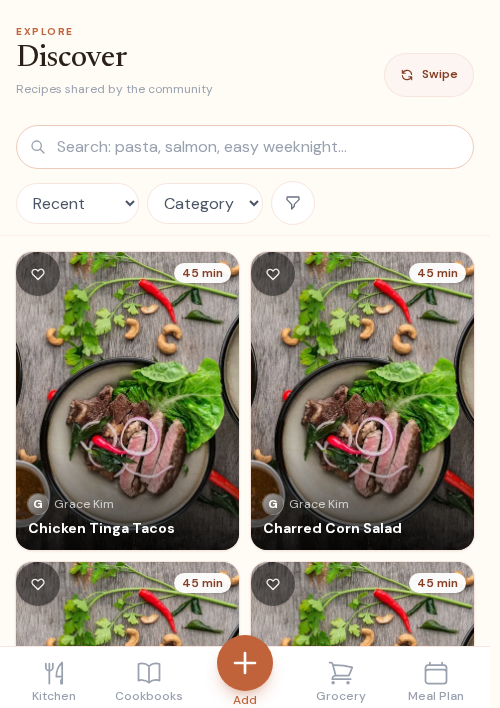
- 1 On your Kitchen, tap Browse more under “Fresh this week.”
- 2 Search by ingredient, or filter by cuisine, diet, and more.
- 3 Tap Swipe to flip through recipes one at a time.
- 4 Open any recipe and tap Save to My Kitchen to keep it.
Follow cooks you love
Follow home cooks whose taste you trust, and their new public recipes appear in your kitchen automatically — no searching required.
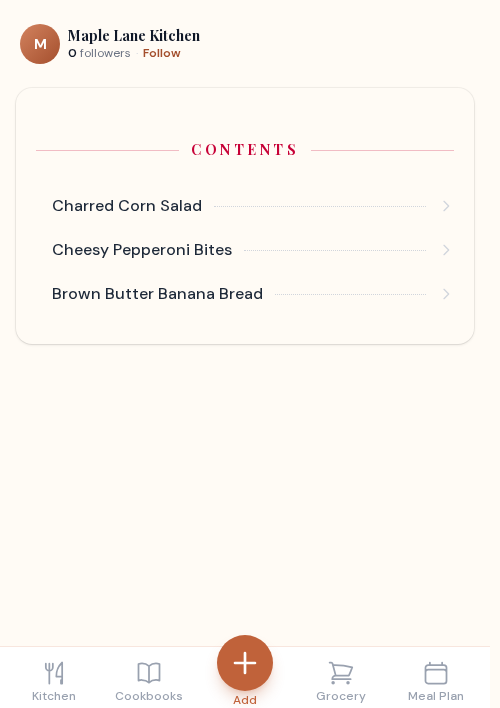
- 1 Tap a cook’s name on any recipe to open their profile.
- 2 Tap Follow.
- 3 Their new public recipes appear in your kitchen’s “Fresh this week.”
Save a recipe from the web
Found a recipe online? Paste its link and Recidex pulls in the title, photo, ingredients, and steps — no copy-pasting, no retyping. TikTok and YouTube links work too when the recipe is written in the video's caption or description.
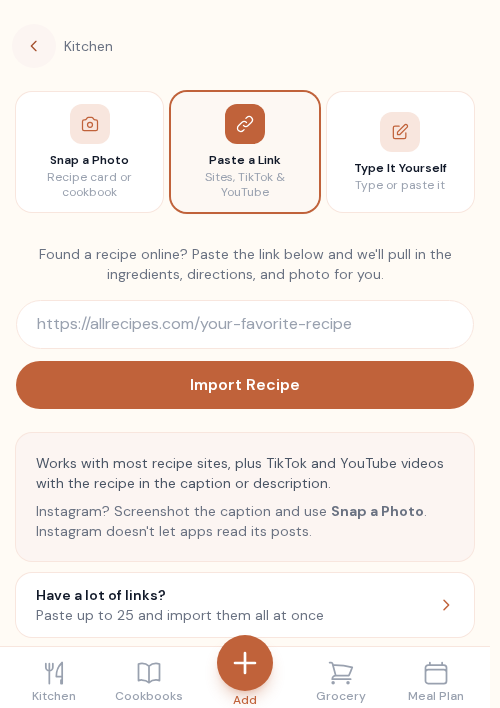
- 1 Tap Add Recipe (the + in the nav).
- 2 Keep the Paste a Link tab selected.
- 3 Paste the recipe’s web address and tap Import Recipe.
- 4 We pull in the title, photo, ingredients, and steps — review and Save.
Paste a recipe you have as text
Got a recipe in an email from Mom, a notes app or a text message? Paste the whole thing and Recidex fills in the name, ingredients, and steps — no retyping, one row at a time.
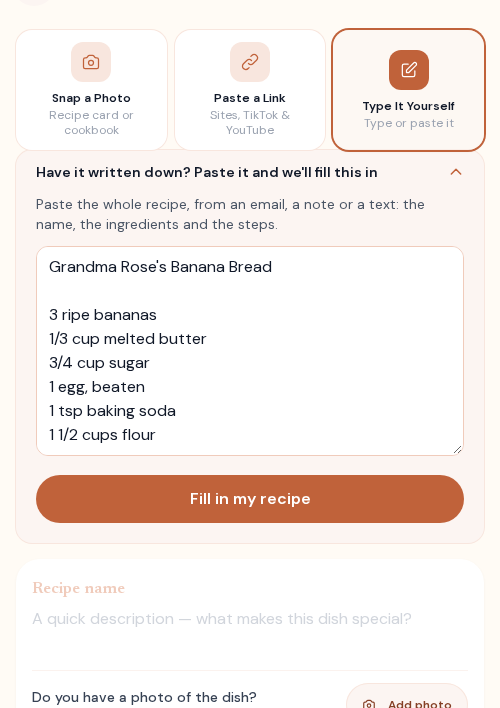
- 1 Tap Add Recipe (the + in the nav).
- 2 Choose Type It Yourself.
- 3 Open Have it written down? Paste it and we’ll fill this in and paste the recipe.
- 4 Tap Fill in my recipe, review it, and Save.
Bring your Paprika library
Switching from Paprika? Export your recipes there and upload the file here — ingredients, steps, photos, and where each recipe came from all come across. Recipes you already have are skipped.
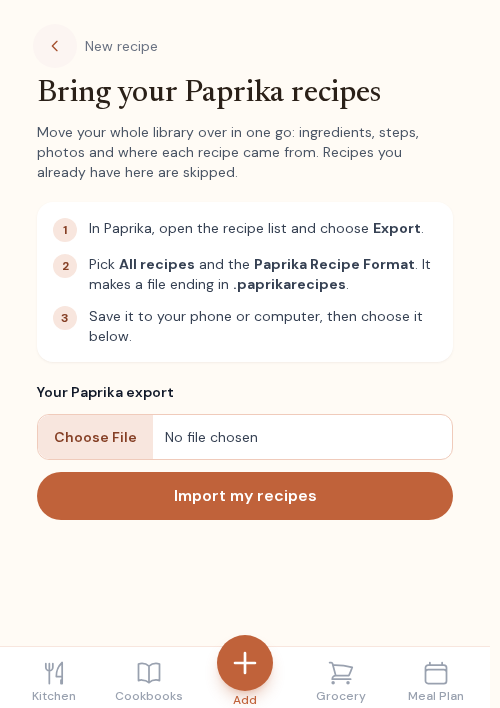
- 1 In Paprika, open your recipe list and choose Export, then All recipes.
- 2 Save the .paprikarecipes file it makes to your phone or computer.
- 3 In Recidex, tap Add Recipe, then Moving from Paprika? on the Paste a Link tab.
- 4 Choose the file and tap Import my recipes. Your library arrives in a minute or two.
Add your own notes to a recipe
Made it your way? Add a private note to any recipe — tweaks, timings, who loved it. Only you and your household see it, and it stays with the recipe.
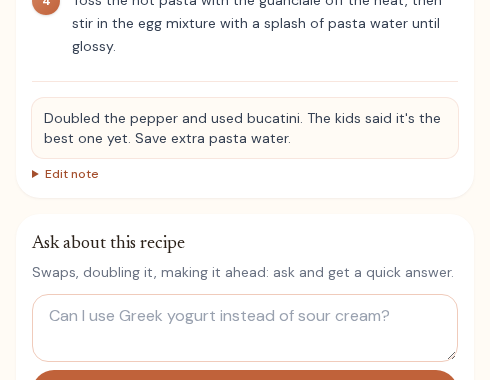
- 1 Open any recipe in your kitchen.
- 2 Scroll to My Notes, just under the steps.
- 3 Type your note — substitutions, timings, who liked it.
- 4 It saves to your household’s copy; tap Edit note anytime to change it.